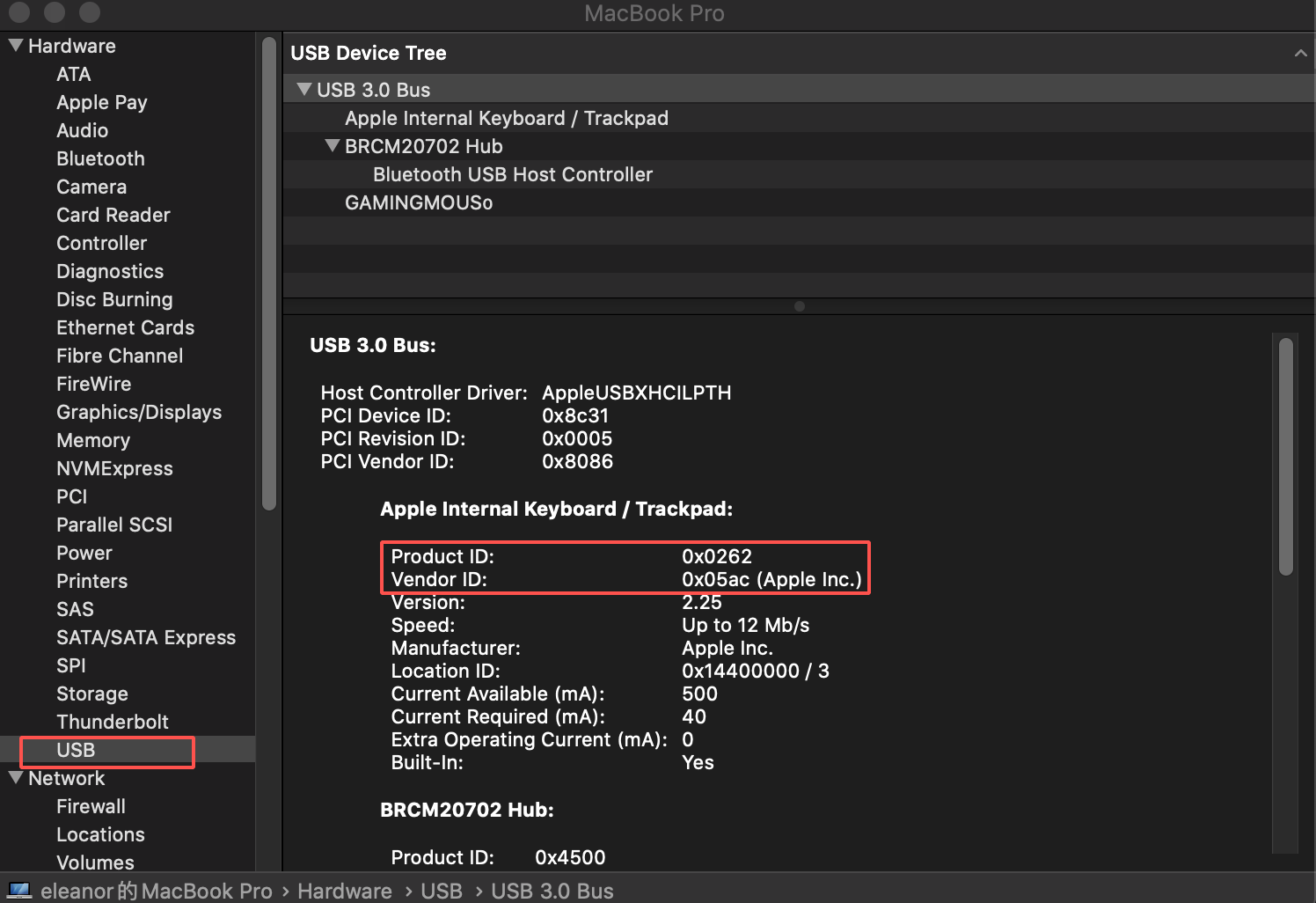
A continuación, se muestra el tutorial que explica cómo verificar tu PID y VID en tu Mac.
Paso 1: Haz clic en el icono de Apple y selecciona la sección "Acerca de este Mac".
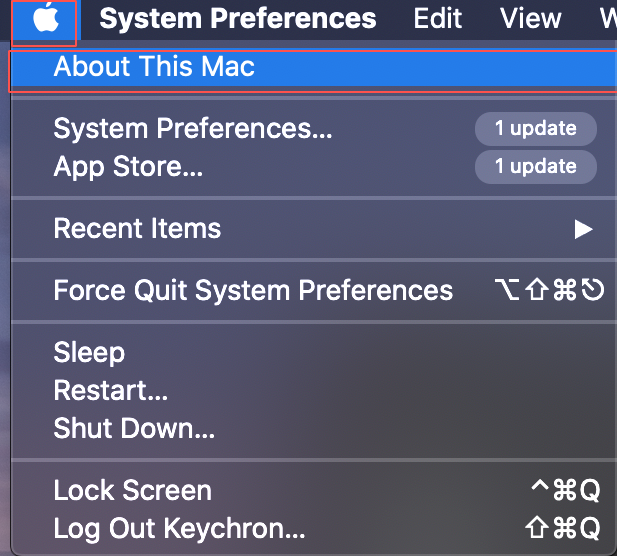
Paso 2: Haz clic en la sección "Informe del sistema".

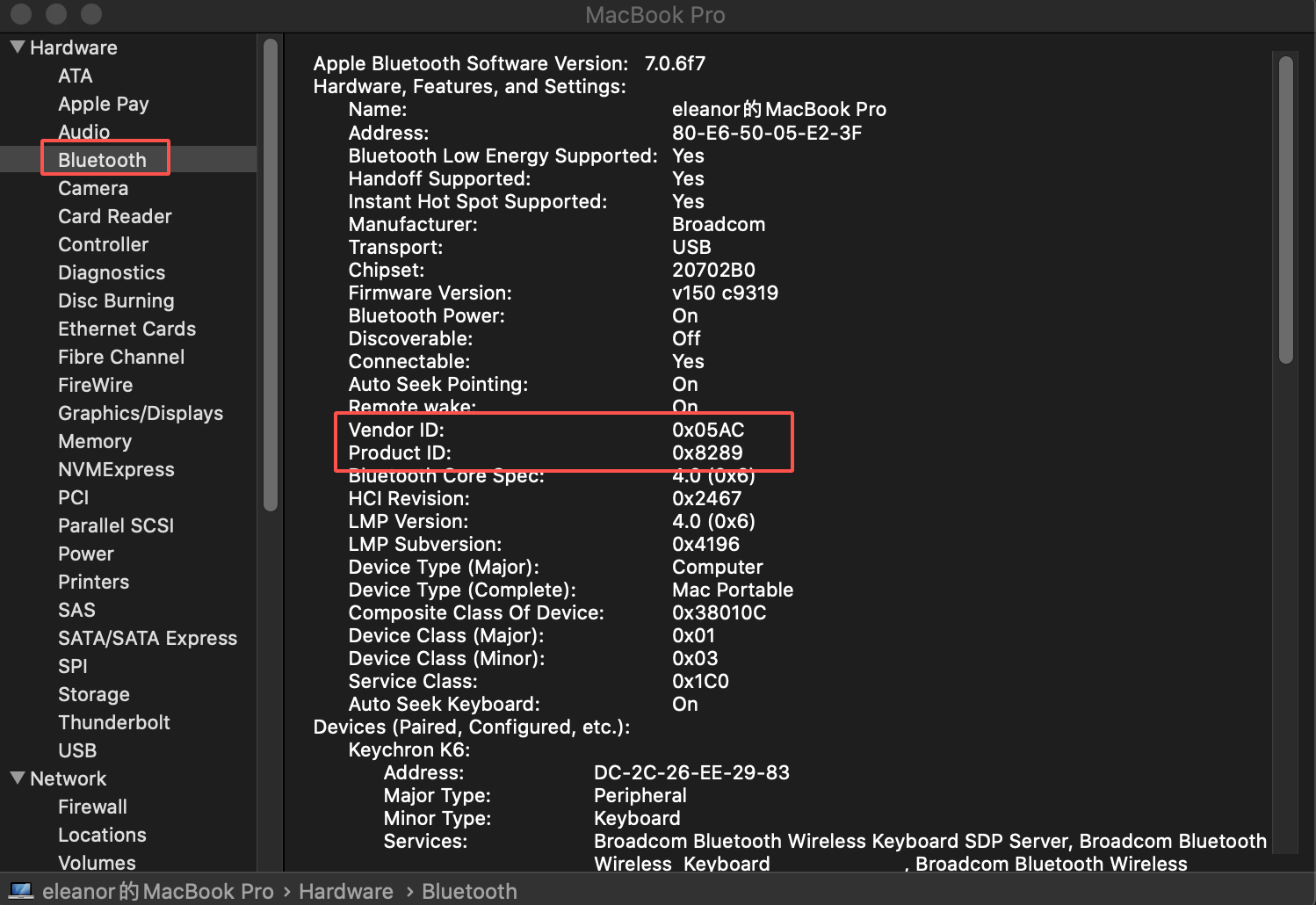
Paso 3: Haz clic en la sección "Bluetooth" y encontrarás el ID del proveedor y el ID del producto.
Haz clic en la sección "USB" y también encontrarás el ID del proveedor y el ID del producto.